Audio Converter: OGG FLAC MP34.8.8
Publisher Description

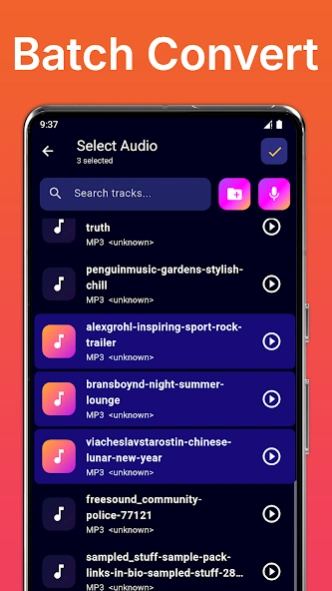

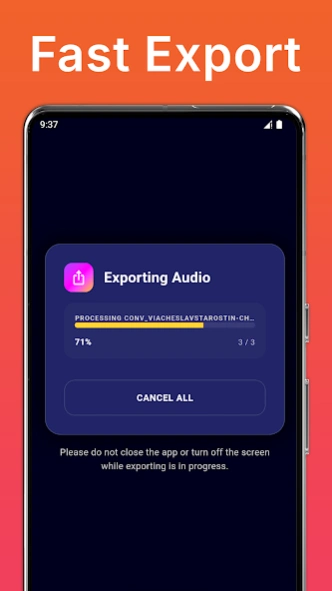
AConv: FLAC to MP3, OGG to MP3, WAV, OPUS Audio converter & Editor offline
Whether you need to convert WhatsApp voice notes OPUS or Telegram audio OGG to MP3 for seamless playback on unsupported devices, or compress FLAC to MP3 for easy sharing,
AConv
– Audio Converter & Editor does it perfectly. Convert a single file or batch process entire libraries.
AConv supports all popular audio formats including MP3, FLAC, WAV, M4A (AAC/ALAC), OGG, OPUS, WMA, AMR, and AIFF.
🎧 OGG, FLAC & OPUS Audio Converter
Switch between formats effortlessly using a fast and easy-to-use batch converter. Customize bitrate, sample rate, and channels to match your needs. Transform your entire music library, batch convert multiple files at once, or easily change specific tracks like OPUS to MP3 while preserving lossless quality.
AConv
gives you full control over your sound.
✂️ Built-in Editor: Refine Every Track
Beyond conversion, empower yourself with a comprehensive editor. Cut unwanted sections, trim intros, apply effects like fade, reverb, and equalization, create custom ringtones, and boost bass and treble volume for any file. Achieve professional-sounding results directly on your device using a complete audio editor.
🎬 Video to MP3 & Extractor
Quickly pull high-quality sound from your video files in seconds. Convert MP4 to MP3, capture soundtracks, voiceovers, or music from any video. The built-in audio extractor lets you export files at original quality in your preferred format.
⚡ Fast, Offline & Premium Quality
No internet? No problem! Process files instantly without a connection. Powered by the industry-standard FFmpeg engine,
AConv
guarantees lightning-fast processing speeds and accurate output every single time.
🚀 Key Features
• Supports MP3, FLAC, WAV, M4A, OGG, OPUS, WMA, AMR, AIFF
• Versatile music converter: Full control over bitrate, sample rate, and channels
• Fix and convert OPUS or OGG to MP3 to play on unsupported platforms
• Compress WAV and FLAC to MP3 to minimize their size
• Complete audio editor: cut, trim, effects, boost volume, bass, and treble
• Video to audio converter and audio extractor
• Batch convert multiple files simultaneously to save time
• Fast offline processing with high-quality lossless output options
• Simple, clean, and user-friendly interface
Download the offline audio converter app AConv today and take complete command of your audio files!
About Audio Converter: OGG FLAC MP3
The company that develops Audio Converter: OGG FLAC MP3 is Clogica. The latest version released by its developer is 4.8.8.
To install Audio Converter: OGG FLAC MP3 on your Android device, just click the green Continue To App button above to start the installation process. The app is listed on our website since 2026-06-01 and was downloaded 7 times. We have already checked if the download link is safe, however for your own protection we recommend that you scan the downloaded app with your antivirus. Your antivirus may detect the Audio Converter: OGG FLAC MP3 as malware as malware if the download link to com.clogica.audioconverter is broken.
How to install Audio Converter: OGG FLAC MP3 on your Android device:
- Click on the Continue To App button on our website. This will redirect you to Google Play.
- Once the Audio Converter: OGG FLAC MP3 is shown in the Google Play listing of your Android device, you can start its download and installation. Tap on the Install button located below the search bar and to the right of the app icon.
- A pop-up window with the permissions required by Audio Converter: OGG FLAC MP3 will be shown. Click on Accept to continue the process.
- Audio Converter: OGG FLAC MP3 will be downloaded onto your device, displaying a progress. Once the download completes, the installation will start and you'll get a notification after the installation is finished.
Program Details
System requirements
Download information
Pricing
Version History
version 4.8.8
posted on 2026-06-01
- Major update to the UI and functions
- ِAndroid 16 support
version 4.8
posted on 2025-10-29
- Android 15 support
version 4.7
posted on 2025-02-11
- Android 14 support
version 4.5
posted on 2023-08-26
- Android 13 support
version 4.0
posted on 2023-02-06
- Bug fixed
version 3.6
posted on 2021-09-10
- Android 11 support
- More features
- Bug fixed
